
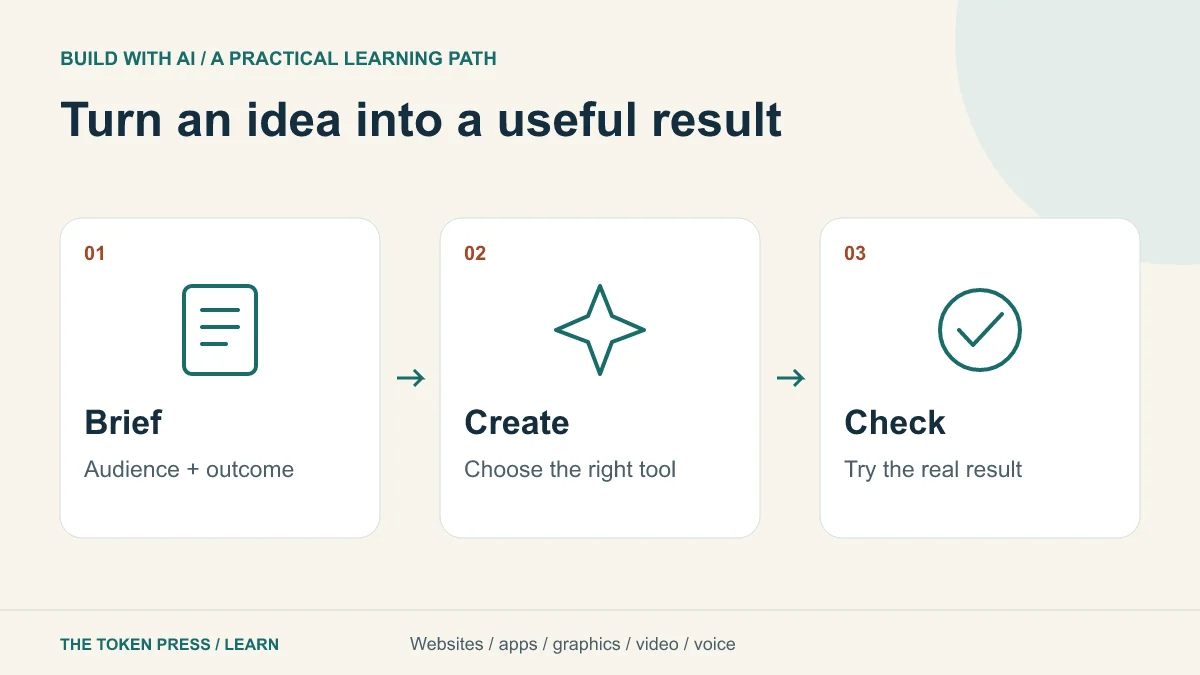
Choose something you can finish and inspect
A useful first AI project has one audience, one job and a visible result. “Make my business successful” gives you no reliable way to judge an output. “Create a page where workshop visitors can see the agenda and request a place” gives you content, actions and checks.
This learning path uses a fictional repair workshop as a shared example. You can build its website, create a simple job tracker, design an illustration, assemble a short video and record an explainer. The business and example results are invented for practice; no customer data, paid deployment or tool subscription is required just to plan them.
A model, a tool and an agent are different things
A large language model, or LLM, generates and transforms language and can support reasoning or code tasks. A product such as ChatGPT supplies an interface and available tools. An agent combines a model with instructions, tools and a workflow for taking multiple steps. Capabilities depend on the actual product, model, account and permissions.
An image generator produces a bitmap; a video tool produces clips; a speech model produces audio. Asking a text model for a poster may produce a prompt or code unless an image tool is available. Ask for the actual deliverable and inspect the file type instead of accepting a description of a finished asset.
OpenAI’s current guidance places GPT-6 Astra on demanding reasoning and coding work, GPT-6.1 Sol on complex work where speed and cost matter, and Luna on focused repeatable tasks. These are starting points for testing, not a guarantee that a named model will always produce the best result.
Pick a route through this library
For a public page with content and a contact action, start with “How to Build a Website with AI.” For saved records, accounts and permissions, choose “How to Build an App with AI.” The difference is the behavior you need, not whether a tool calls the output a site or an app.
For visual assets, use “How to Create Graphics with AI.” For moving scenes, use the Google Flow guide. For a spoken script, use the Gemini voice and audio guide. Each linked lesson includes an original practice task and concrete acceptance checks. The AI, AGI and ASI guide explains the terms you will encounter in product announcements.
Use a brief that prevents avoidable guessing
Write the purpose, reader, inputs, output format, constraints and checks before opening a tool. Supply approved facts separately from style references. If the address, price or event date is missing, make the AI flag the gap rather than invent it. A screenshot can guide layout but does not grant permission to reuse someone else’s artwork.
The following prompt is an original exercise. Replace the bracketed facts with your own information; do not paste confidential customer records into a tool merely to make a mockup look realistic.
PROMPT TO ADAPT
Create a first draft for [audience] who need to [one task]. Use only these approved facts: [facts]. Deliver [file or working preview]. Keep [brand and technical constraints]. Mark missing information clearly. Before finishing, check [three observable outcomes] and list anything you could not verify.
Compare models with the same small task
Give two available models the same brief and source material. Score each output from zero to two on factual accuracy, task completion, usability, editability and adherence to constraints. Ten points is the maximum. Zero means the requirement failed, one means partial, and two means complete. This is our practice rubric, not a scientific model benchmark.
A 9/10 result that takes twelve corrections may be less useful than an 8/10 result you can fix in one minute. Record the time spent reviewing, number of revisions and actual account cost where shown. For a recurring task, compare cost per accepted result rather than tokens or an impressive first screenshot.
Keep a few deliberately difficult examples: a long title, an empty dataset, an ambiguous date or a request with a missing source. Do not judge a model only on the example used to write the prompt.
Separate drafting from permission to act
Ask for a preview before publishing, a draft before sending and a test environment before connecting payments. A polished screen is not proof that storage, authentication or billing works. List which actions the system can take and where you want a confirmation step.
When an AI reads a website or document, that material may contain misleading instructions. Treat retrieved text as evidence to inspect rather than authority to change your project’s goals. Give connected tools only the access the task needs, and remove access you no longer use.
Your first complete practice session
Choose one workshop deliverable and work through the checklist below. Stop after a useful first version; a focused finished artifact teaches more than five abandoned tool trials. Save the brief, version and checks so tomorrow’s change can build on something known.
- Write one sentence describing who the result helps and what they should do.
- Prepare three approved facts and one visual or structural reference.
- Request an editable first draft and identify every placeholder.
- Try the result as a visitor, including one missing or invalid input.
- Fix the most important failure, then save the deliverable and your check notes.
- Choose the next linked guide only when you know what new capability you need.
Sources & further reading
Educational content. Examples are illustrative. Protocols, products and rules can change; consult the linked documentation for current details.