
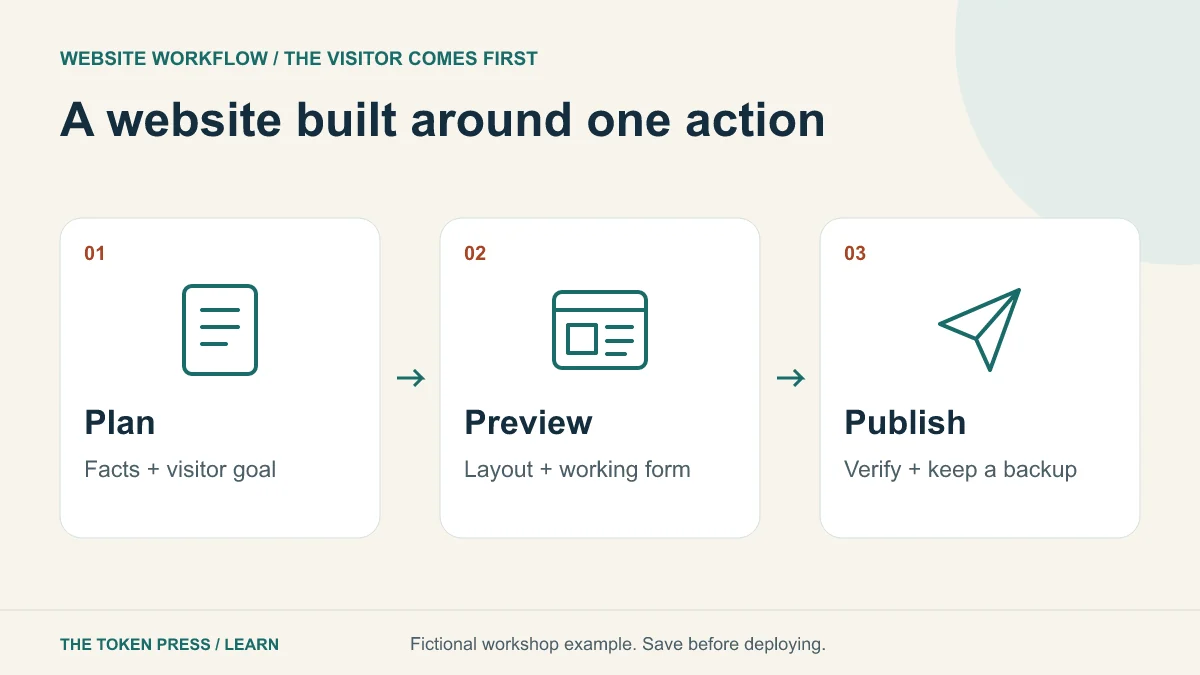
Start with a visitor action
For this exercise, build a fictional repair-workshop website whose main action is “Request a place.” It needs an introduction, agenda, venue, frequently asked questions and a request form. It does not need accounts, payments, a social feed or an elaborate animation to prove the idea.
Write the facts in a small document first. Use a clearly marked placeholder for the venue and date until confirmed. Decide whether the form will send a message, store a request or simply demonstrate the interface. A pretend confirmation after a form submission must be labeled as a demo.
Choose a building route
ChatGPT Sites can create and refine a website from a description when available to your account. OpenAI’s documentation recommends reviewing the first version, refining it and checking the published result as an intended visitor. It also states that a Sites deployment URL is a production deployment; ask to save a version without deploying when you need a draft.
A coding tool working in your own project is another route. It can help with files you control, but you still need a hosting destination, domain configuration and a release process. Select a route based on ownership, editing needs and required integrations—not just the fastest-looking demo. Check export and hosting conditions before committing your business to a platform.
Give the AI a complete first brief
Include the page structure, brand direction, approved facts and visitor action. Ask for accessible form labels and useful empty, loading, success and error states. Use real copy where you have it; replacing placeholder text later can change the layout considerably.
PROMPT TO ADAPT
Build a mobile-friendly website for a fictional community repair workshop. Main action: request a place. Include an introduction, agenda, venue placeholder, FAQ and a demo request form. Use navy text, a warm light background and one accent color. Use semantic headings and visible labels. Do not invent dates, testimonials or prices. Keep the form clearly marked as a demo. Save a preview for review before any public deployment.
Review structure before decoration
Open the first version and explain the page to someone in one sentence. If the main purpose is unclear, fix the headline and action first. Check whether the visitor can identify what happens, who it is for, where it takes place and what to do next without reading every paragraph.
Make one class of change at a time: structure, wording, spacing, then illustration. “Make it more premium” often produces unnecessary effects. A specific request—“keep the request button visible after the agenda and shorten the hero to two sentences”—has a result you can inspect.
Use images for information or atmosphere that helps the visitor. Keep essential text as real page text rather than baking the venue or date into a decorative picture. That makes it easier to read, update and adapt to a narrow screen.
Connect the form and test the whole journey
Once the layout works, choose a real destination for requests. Collect only what you need. Explain what happens after submission and provide a useful error message if delivery fails. Add server-side validation and appropriate abuse protection for a real public form.
Submit one test request through the deployed page and confirm it reaches the intended destination. Try an invalid address, an empty required field and a second submission. A button animation is not evidence that a message arrived. If you do not have a backend yet, keep the demo label and offer a verified contact method instead.
- The request reaches the intended inbox or record store.
- Invalid input produces an understandable message without losing all entered text.
- A failed network request is not reported as a successful submission.
- The page does not expose private keys, customer records or internal instructions.
Check the page for readers and search engines
Use a descriptive title and one clear main heading. Give each substantial topic a useful heading and each important destination a normal clickable link. Write a short description that accurately represents the page. Search snippets are not fully under your control; metadata is not a guarantee of rankings or clicks.
On a phone-sized screen, read the page at normal zoom, use the menu and complete the form. Navigate with the keyboard and check that focus is visible. Reserve image dimensions, compress appropriately and avoid loading a large video just to decorate the first screen. Review the actual published page, since hosting can change paths and behavior.
For an existing site, preserve working URLs and important content during the redesign. Record titles and canonical URLs before editing. If a URL truly must change, plan its redirect deliberately rather than leaving old visitors at an error page.
Publish a version you can reverse
Save the approved files or platform version, then publish to your chosen host. Test the public URL while signed out, check navigation and form delivery, and verify the correct page is available on your preferred domain. Keep a route back to the last working version.
Your first useful measurement is whether visitors can complete the intended action. Record request submissions alongside relevant search clicks and landing-page visits. A dramatic design change without a clearer visitor journey may add work without improving the site.
Five-minute practice: find the missing requirement
Suppose your draft says “Book a place” and shows a success message, but the only code is a button that changes its label. What is missing? A real booking workflow needs a destination for the request, a reliable success/failure result and a clear statement about whether the place is confirmed. Rename the action “Request a place” until confirmation is actually supported.
Write three acceptance checks for your own site. Each should describe something you can do or observe, such as receiving a test request. “Looks modern” is a preference; “the menu works on a narrow phone screen” is an observable requirement.
Sources & further reading
Educational content. Examples are illustrative. Protocols, products and rules can change; consult the linked documentation for current details.