
Choose a small app with a real state change
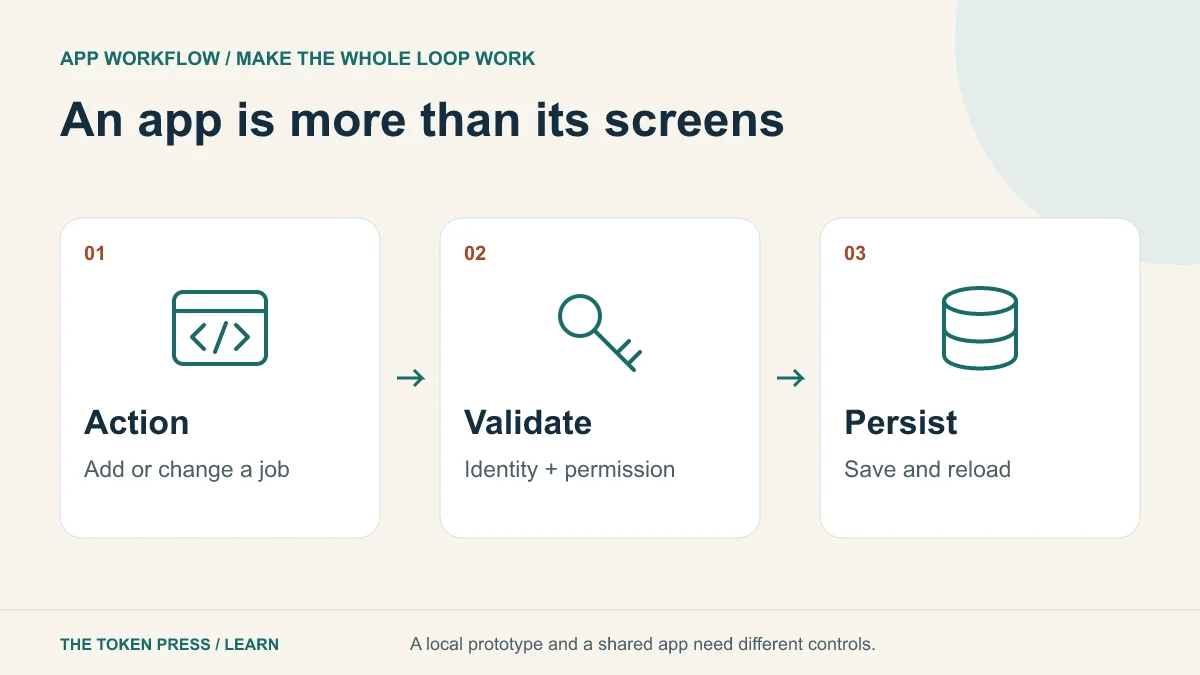
Our fictional workshop app tracks repair jobs. A user adds an item, moves it from “Received” to “In progress,” and marks it “Ready.” Start with that complete loop. Adding a login screen, chatbot and payment page before this loop works makes failures harder to locate.
Write a boundary for version one: one user, sample records and no sensitive data. Then describe what changes for a shared version: authenticated users, server storage and permission rules. A local prototype can be useful, but label its limitations before anyone relies on it for real operations.
Design the record before the screen
A job could contain an ID, item description, status and creation time. If ownership is required, include an owner ID supplied by the trusted authentication system. Decide which fields are mandatory, which values are allowed and how edits are saved.
Use a stable unique ID rather than the item description as the record key. Two people may bring identical lamps. Define what deletion means and whether a completed job can be reopened. These small decisions prevent an attractive interface from hiding ambiguous behavior.
PROMPT TO ADAPT
Create a prototype repair-job tracker with sample data. Records have a unique ID, item description, status and creation time. Support add, edit and status changes. Include empty, loading, error and saved states. First explain the data model and where records will persist. Do not claim that a local demo has authentication or shared storage. Provide tests for the main user journey.
Ask for one complete feature at a time
Build “add a job” first, then reload and verify the result. Next add status changes, then editing. Keep a working version after each feature. When something fails, provide the exact action, expected result and observed result rather than asking the AI to rewrite the entire app.
For example: “I changed job J-104 to Ready, refreshed, and it returned to Received. Trace the save operation and fix the persistence failure. Preserve the current layout.” That gives the tool a bounded problem and protects working parts of the application.
OpenAI’s Sites documentation distinguishes a saved site version from saved visitor records. It recommends server-enforced access rules for shared data and testing with separate accounts. The same distinction is useful regardless of the builder you choose.
Treat identity and permissions as backend behavior
Hiding an Edit button is not access control. For a shared app, the server must verify who is asking and whether that person may read or change the particular job. Test with two separate accounts and direct requests as well as through the interface.
Keep API credentials on the server or in the hosting platform’s secret store. Do not place them in browser code, screenshots or example records. Validate incoming values at the trusted boundary. A model’s generated code deserves the same review as code from any unfamiliar source.
For an app that calls an AI API, also define rate limits, a spending cap and a failure response. The user should be able to distinguish “still working,” “failed” and “completed.” Do not silently retry a paid operation indefinitely.
Use AI inside the app only when it improves the job
The tracker might use a model to turn a rough note into a clearer description. Keep the original note and let the user approve the rewrite. The model should not invent a diagnosis, price or completion date from a vague item description.
OpenAI’s deployment checklist recommends evaluating representative workloads and accounting for latency, cost and failures. For this example, prepare five messy notes, two empty notes and one note containing misleading instructions. Check that the feature handles each without altering the job’s permissions or status.
If the simple tracker works without an AI API, that is a valid first release. Building an app with AI assistance and building an app that uses AI at runtime are different choices; the second adds ongoing costs and operational responsibilities.
Test more than the happy path
Use the checklist as a release record and note what was actually tested. Automated checks can cover repeatable logic, but someone still needs to use the interface and inspect its output. Do not describe a model-generated test list as completed testing.
- Add two jobs with the same description; they remain distinct records.
- Edit a status, reload, and confirm the saved value persists.
- Submit an empty or unusually long item description; the result is clear and safe.
- Disconnect during a save; the app does not falsely report success.
- Use another account; private records cannot be read or changed.
- Submit twice or retry; the app handles duplicates deliberately.
- Use keyboard navigation and a narrow screen to complete the main journey.
Move from prototype to a maintainable release
Before using real records, decide who owns the hosting account, how backups work and how to restore a prior version. Record dependencies and configuration requirements without copying secret values. Test a backup restore rather than merely checking that a backup file exists.
Keep a concise known-limitations list. If simultaneous edits can overwrite each other, say so and fix that before introducing several operators. If the app has only been tried with ten sample records, do not claim it is ready for unlimited traffic. Scale the next test to the next real use case.
Sources & further reading
Educational content. Examples are illustrative. Protocols, products and rules can change; consult the linked documentation for current details.